How to Use Baemin in Korea If you live in or are visiting South Korea, you already know about Baedal Minjok (Baemin / 배달의민족), the #1 food delivery app.
For years, expats and tourists struggled with Baemin because it was entirely in Korean and rejected overseas credit cards. But here is the massive news: As of February 2026, Baemin officially launched multilingual support (English, Japanese, Chinese) AND fully accepts foreign credit cards!
Throw away your translation apps. Here is your updated 2026 ultimate guide on how to use Baemin in Korea.
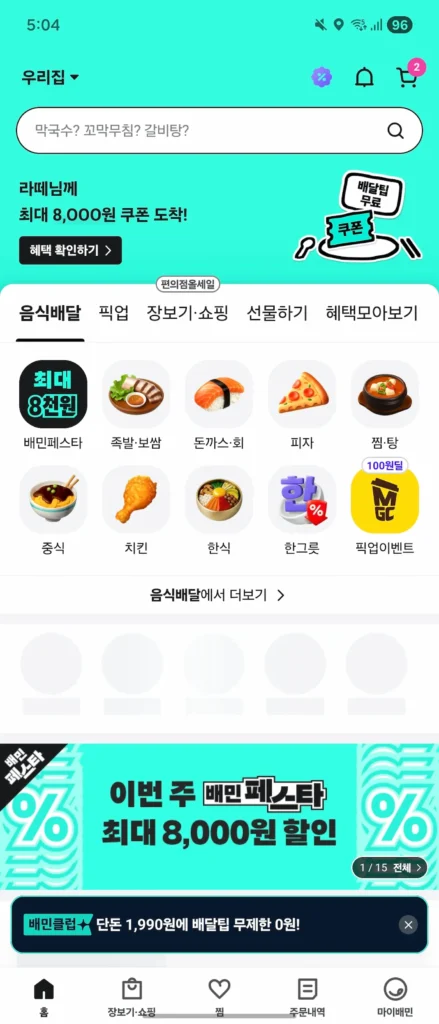
Step 1: Switch the App to English & Verify
First, download the app “배달의민족” from the App Store or Google Play.
🔥 2026 Pro Tip: How to turn on English mode
Baemin won’t automatically switch to English. You need to change it in your phone’s system settings:
- iOS / Android: Go to your phone’s System Settings > Find the Baemin app > Change the Language to English.
Next, you will need to verify your identity. You will need a Korean phone number to receive a 6-digit SMS verification code.
Step 2: Entering Your Korean Address
Even with the app in English, it is highly recommended to input your delivery address in Korean to avoid rider confusion.
- Open Naver Map or KakaoMap (they support English).
- Search for your building, hotel, or apartment.
- Copy the Korean address provided in the map app.
- Paste it into the Baemin address search bar at the top of the home screen.
- Type your detailed room or apartment number (e.g., 301호).
Step 3: The 3-Step Foreign Card Payment Process
This is the biggest game-changer. You no longer need to select “Pay in Person” or borrow a Korean friend’s card. Baemin now uses the NICEPAY gateway to process international cards smoothly.
Here is the exact 3-step checkout process:
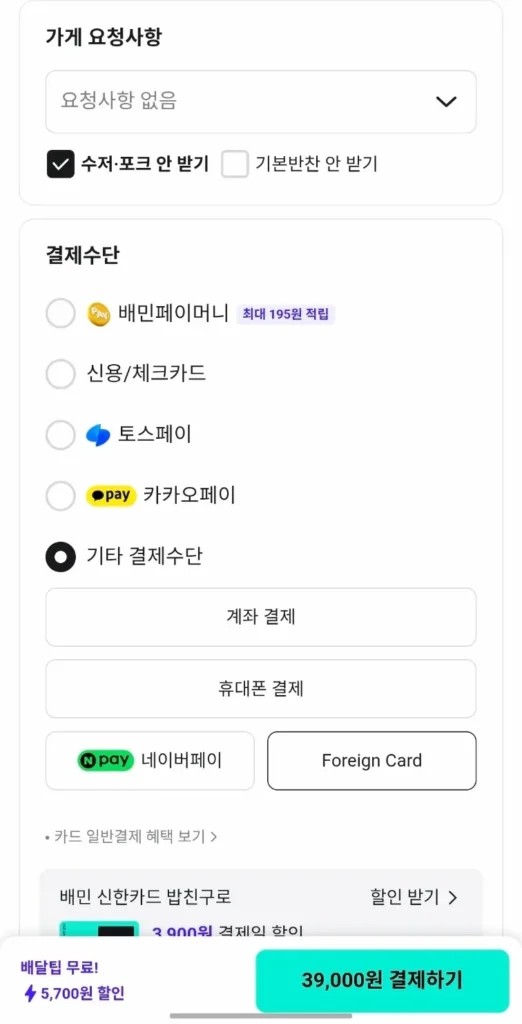
1. Select “Foreign Card” at Checkout
On the final order screen (주문하기), scroll down to the Payment Method (결제수단) section. Tap on 기타 결제수단 (Other Payment Methods), and then click the newly added [ Foreign Card ] button.
2. Choose Your Card Brand
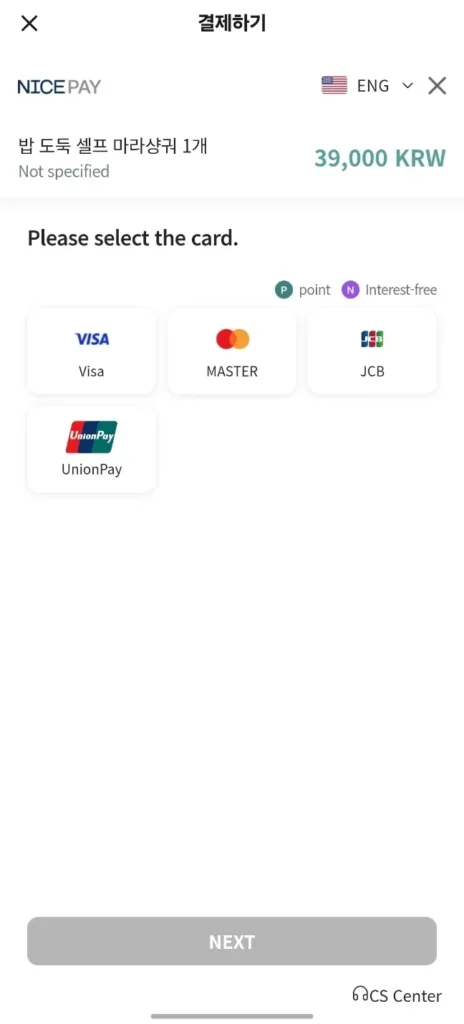
A NICEPAY pop-up window will appear in English. You can select from major global networks: Visa, MasterCard, JCB, or UnionPay. Click “NEXT.”
3. Enter Card Details & Pay
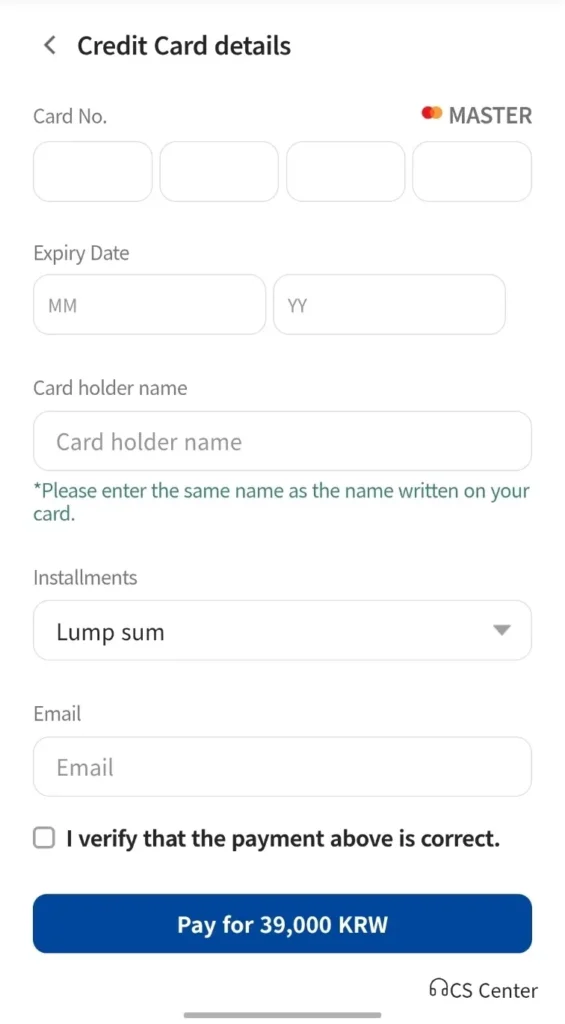
Finally, type in your Credit Card Number, Expiry Date, Cardholder Name (exactly as written on the card), and your Email. Check the verification box and click the big blue Pay button!
Ready to Order?
With the English interface and foreign card support, ordering Korean fried chicken at 11 PM is now dangerously easy.
For more details, official notices, or to download the app, visit the 👉 Baemin Official Website.
🔗 Read Next:
Mastered Baemin? It’s time to conquer Korea’s “Amazon”! Learn how to order next-day delivery essentials without a Korean bank account:
👉 [How to Order on Coupang as a Foreigner: English Guide 2026]